

November 16, 2026
More possibilities for your lessons: discover the updates to Prowise Central and Prowise Teach
With the latest Prowise Central and Prowise Teach updates, moving from lesson preparation to teaching is easier than ever.
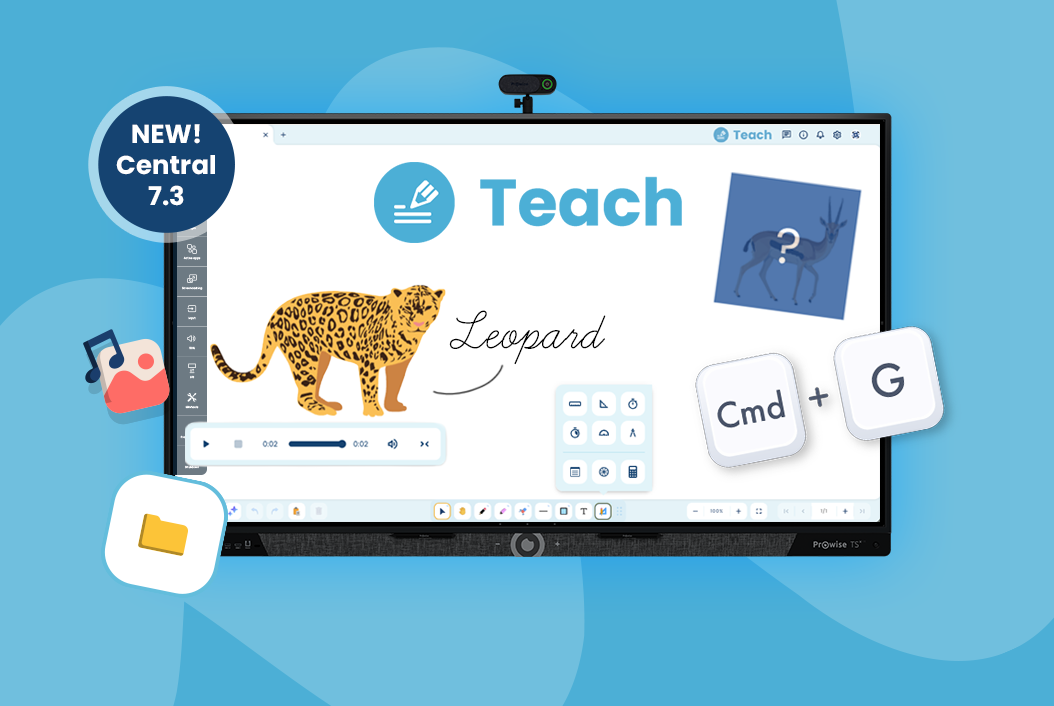
Prepare a lesson on your laptop and open it on your classroom touchscreen. Reveal an answer at just the right moment. Or have your touchscreen start up automatically before the school day begins. With the latest updates to Prowise Central and Prowise Teach, you can make your day easier, from lesson planning to teaching.
The update will be rolled out in phases from 16 November to the following touchscreens:
- Prowise Touchscreen Ultra
- Prowise Touchscreen Ten G5, G4, G3, G3 SE, G2 and G1
- Prowise Touchscreen Pure G5
- Prowise Touchscreen One G2 and G1
- Prowise Touchscreen G2 and G1
- Prowise Touchscreen Max
From Monday 23 November, the update will be available for all these touchscreens. The new features you can use depend on your touchscreen model. You can find all the details in the release notes.
Prowise Teach
Your lesson starts wherever you are
You’re relaxing on the sofa at home when a great idea for tomorrow’s lesson comes to mind. With the new browser version of Prowise Teach, you don’t have to wait until you’re back at the touchscreen. Simply open teach.prowise.com on your laptop and get started.
Save your lesson to the cloud and open it on your updated classroom touchscreen the next day. Need to make a quick change? You can do that too. Keep working in the same file, wherever you are. It’s an easy way to bring your lesson planning into the classroom.
More inspiration at your fingertips
An image that makes your explanation clearer, a sound that captures everyone’s attention or a background that suits your topic: Teach’s redesigned and expanded media library gives you resources to bring your lessons to life.
Handy filters help you find exactly what you need.
Make room for curiosity with Building Blocks
What could be hiding behind that image? And who thinks they already know the answer? With Building Blocks in Teach, you can keep parts of your lesson hidden until you’re ready to reveal them.
You decide when to reveal an answer, an image or part of an activity. Build your explanation step by step and give pupils time to think for themselves first. Useful for quizzes, and just as helpful when you’re solving a problem together.
Prowise Central
Prowise Central is getting an update too. The new features vary by touchscreen model and help you work more comfortably and manage your touchscreen more easily.
Prowise Touchscreen Max: more control in the classroom
You’re helping a pupil at the back of the classroom and still want to control your touchscreen. With the added support for the Smart Remote, you can.
You also get more control behind the scenes. Use the service menu to set when the touchscreen starts up and shuts down automatically. For IT administrators, there’s also a Wi-Fi analysis tool to investigate connection issues directly on the touchscreen.
The Max also starts up a few seconds faster, and several issues have been resolved, including those affecting volume control, the remote control and management through Prowise Screen Control.
Prowise Touchscreen Ten G4 and Ten G5: get to your lesson faster
You can now open a Teach file directly from Google’s file manager. This puts your lesson in front of you quickly, so you can get started straight away.
Want to keep your touchscreen’s device name visible at all times? Now you can, even when the quick menu is hidden. Handy when you want to check which touchscreen you’re using or connecting to.
Use a screenshot straight away in your lesson
You’re showing something on the touchscreen and want to use it in an activity straight away. On touchscreens running the classic version of Prowise Central, including the Ultra and Ten G3, you can now copy a screenshot and paste it directly into an application such as Prowise Teach. This feature is also available on Google EDLA touchscreens.
How to install the updates
- The updates are being made available in phases this week. Not available on your touchscreen yet? From Monday 23 November, everyone will be able to download them.
- Check availability via Settings > About this screen > Check for system updates. Then follow the instructions on your touchscreen.
- On the Prowise Touchscreen Max and Google EDLA touchscreens, Teach is updated automatically when you update Prowise Central. If your touchscreen runs the classic version of Prowise Central, update the Teach app through the Prowise Appstore as well.
Want to see all the changes in Prowise Central 7.3? Read the full release notes.
Related Posts

After Bundeswehr, ProVitako and KDN also choose Prowise

ProVitako Chooses Prowise Again