

April 22, 2026
Why Prowise makes the Google EDLA interactive touchscreens smarter for your classroom
The Prowise Touchscreen Ten G4 is the perfect combination of the freedom of Google and the educational mindset.
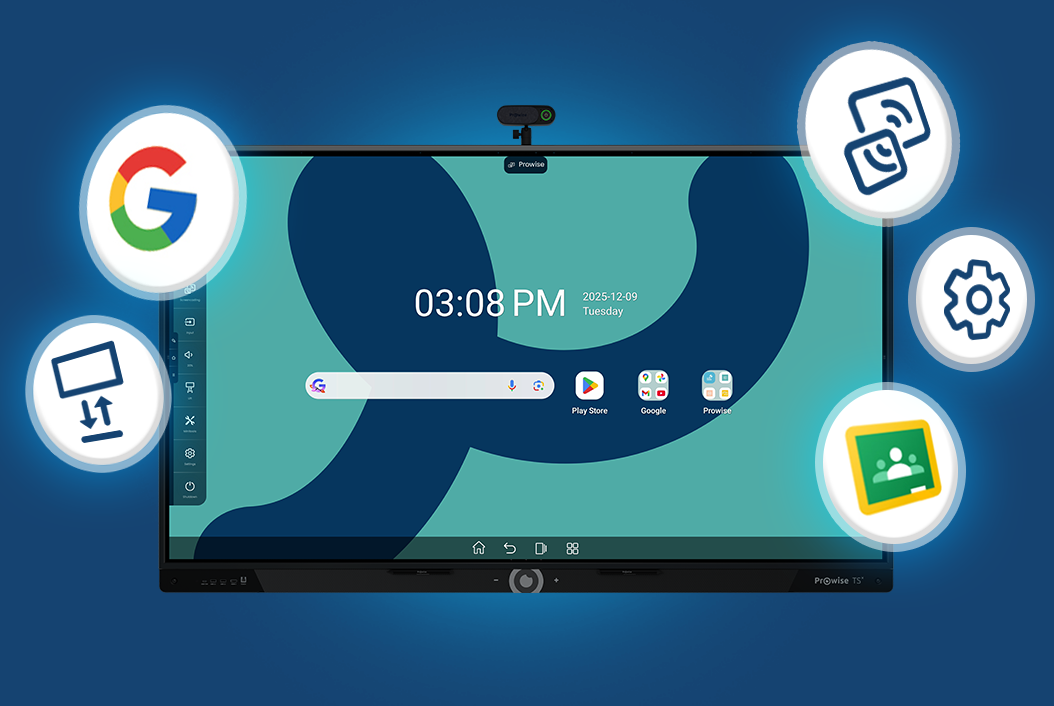
Since the introduction of Google EDLA-certified interactive touchscreens, the ease of use experienced on an Android tablet has also become the standard for large interactive whiteboards in the classroom. Almost every supplier nowadays offers an interactive whiteboard with such a Google environment, and that is good news for education. You get the familiar Google Play Store, convenient split-screen functions, and essential security updates.
With the Prowise Touchscreen Ten G4, we see the recognizable Google environment not as a simple end goal, but as the foundation upon which we build our own educational superpowers.
Control back in the classroom and in the ICT professional’s dashboard
The significant difference lies in what we have added on top of that Google foundation. While other interactive touchscreens are content with what is already included, we go further with Prowise Central and the management portal Prowise Screen Control. Specifically developed for daily school practice.
Imagine: a teacher wants to start using a new educational app. Instead of walking to every classroom to manually perform updates or install apps, you take control from behind your laptop. And the great thing is: this management environment is completely free.
- Custom Google Play Store: you decide which apps from the Google Play Store are available to teachers. No unwanted distractions, only safe and relevant apps.
- Kiosk mode: configure the screen so that the focus is always on what matters, without distractions from programs the teacher never uses.
- One-click pushing: whether it’s a new background or managing energy settings; you arrange it for the entire foundation simultaneously from your browser.
Prowise Central: the teacher’s toolbox
Management is essential, but technology must primarily optimally support the teacher in delivering the lesson. With Prowise Central, the user gains access to powerful extras that are missing by default. This way, we make technology invisible and the lesson leading.
- Screencasting without hassle: no external dongles or complicated settings. Via AirPlay, Chromecast, and Miracast, up to 30 students can wirelessly share their laptop screen.
- Prowise Teach: our trusted software transforms this year into the complete package for creating and delivering lessons. The foundation is already rock-solid: you can effortlessly whiteboard, directly annotate over any input source, and let smart, secure AI functionalities simplify your work.
- Live preview: switching between devices has never been easier. With this Prowise app, you place the image of the connected laptop (via HDMI or the 100W USB-C port) in a window next to other apps. This way, you maintain overview.
- Smart minitools: always have the right tools at hand. With the built-in minitools, you can use a flashlight, magnifying glass, or screenshot function over any source.
Security at school level: safety and European DNA
As a decision-maker, you want the assurance that data is secure and that the investment will last for years. At Prowise, we breathe education and think European:
- Privacy without compromise: we develop everything ourselves in Budel (NL), from hardware to software. This ensures compliance with the strictest privacy legislation, and you are not dependent on external parties.
- Service from the manufacturer: we stand behind our quality with warranty terms without small print. Because we are the makers, communication lines are short, and our service is personal and fast.
- Future-proof: with regular quarterly updates, the software remains secure and up-to-date, ensuring the interactive touchscreens lasts for years.
The redefinition of the interactive touchscreens
The Prowise Touchscreen Ten G4 is not ‘just another EDLA screen’. It is the perfect match between the freedom of Google and the educational mindset and European security of Prowise. This way, the ICT professional maintains control, the teacher teaches with passion, and the director knows that security is guaranteed.
Do you prefer Windows?
Then get to know the Prowise Touchscreen Max, the only interactive whiteboard that runs entirely on Windows and feels like your laptop.
Related Posts
After Bundeswehr, ProVitako and KDN also choose Prowise
ProVitako Chooses Prowise Again